

Pinecone · Other
Pinecone INIBOX Pro 2.4 GH/s
Currently unavailable
We do not currently offer this model. The manufacturer has stopped supplying it, or we are waiting for the next batch. Leave us your email and we will let you know as soon as it is available again.
Suitable for
- Hosting
- Workshop, plant room
- Flat – 70 dB, loud
 Current hosting prices · 22/10/2026
Let it mine with us
The miner goes from the supplier straight to the data centre. We connect it and look after it; you just follow the earnings.
- from 1.17 Kč/kWhelectricity incl. management · with prepayment up to −30%
- 7-year warrantywhile the miner runs with us (at home 2 years)
- 7 data centresto choose from, uptime up to 99.85%
- 0 dB at home70 dB of noise stays in the data centre
Technical specifications
- Manufacturer
- Pinecone
- Algorithm
- Other
- Coins
- Other
- Hashrate
- 2.4 GH/s
- Power draw
- 1280 W
- Efficiency
- 0.53 J/MH
- Cooling
- Air
- Noise level
- 70 dB
- Condition
- New
- Warranty
- 24 months · 84 months when hosted with us
- Personal collectionPrague 10
- ASIC miner repairsright here in Prague
- Pay by bank transfer or in cryptoBank transfer (CZK / €), USDT/USDC or cash at the shop
- VAT invoicereverse charge for EU businesses
Description
Pinecone Matches INIBOX PRO — 2450 MH/s ASIC miner for InitVerse
Pinecone Matches INIBOX is a compact, energy-efficient ASIC miner designed for mining the InitVerse (INI) cryptocurrency. Using the VersaHash algorithm, it offers excellent performance at low power consumption, making it suitable for smaller mining operations.
Main features:
- Hashrate: 2.4 GH/s ±5% — stable mining performance.
- Power consumption: 1280 W ±5% — low consumption with excellent efficiency.
- Energy efficiency: 0.516 J/M/S — minimal running costs.
- Algorithm: VersaHash — optimised for mining InitVerse (INI).
- Noise level: ≤ 70 dB — belongs in a technical room, not a flat.
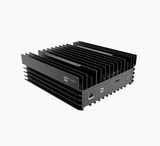
- Construction: Compact design, weight 10.75 kg.
- Cooling: Air cooling for stable long-term operation.
- Connection: Ethernet — easy integration into your mining network.
What it mines:
INIBOX is designed exclusively for mining InitVerse (INI) using the VersaHash algorithm. This miner is not multi-algorithm – it mines this coin only.
Profitability:
InitVerse is a small network with low liquidity; returns change with the INI price and network difficulty and are not guaranteed.
Ideal for:
Beginner miners
Smaller mining farms focused on efficiency
Miners who want to enter the InitVerse ecosystem
Technical specifications:
- Product name: $INI (InitVerse & INIChain) ASIC Miner Match INIBOX PRO
- Series: INIBOX
- Hashrate: 2.4 GH/s ±5%
- Power consumption: 1280 W ±5%
- Energy efficiency: 0.516 J/M/S
- Fan speed: 7800 RPM ±10%
- Noise level: ≤ 70 dB
Power supply:
- Power phases: 2-phase power supply
- Input voltage: 220 V
- Input frequency: 50 Hz
- Maximum input current: 16 A
Device dimensions:
- Network connection: Ethernet
- Device dimensions (L x W x H, unpacked): 270 mm x 184 mm x 291 mm
- Device weight: 10.75 kg
Environmental requirements:
- Intake cooling air temperature: ≤ 40°C
- Ambient humidity: 10%~90%
Customer reviews
There are no reviews yet.
Only customers who bought the product from us can leave a review – we send them a review link by e-mail after the purchase.