
How to choose a gaming laptop: a guide
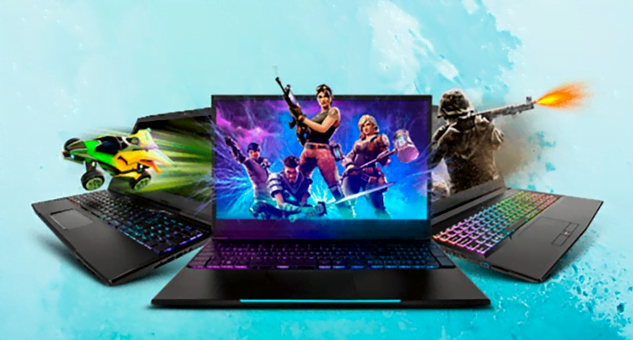
Choose a gaming laptop mainly by its graphics card and its power limit (TGP), and only then by processor and looks. For Full HD, a GeForce RTX 5050 or RTX 5060 Laptop is enough; for a 1440p display and higher frame rates, go for an RTX 5070 Ti Laptop or above. Add 16 GB of RAM (better 32 GB), an SSD of at least 1 TB and a display of 144 Hz or more. Bear in mind that a laptop costs more than a desktop for the same performance and can only be upgraded to a limited extent later.
Summary
- Graphics with the same name can perform very differently in different laptops. What decides is the TGP, i.e. how many watts the manufacturer allows it.
- A MUX switch (or Advanced Optimus) sends the image directly from the gaming card to the display and adds performance in games.
- RAM is often soldered in thin laptops. If you want to add more later, look for a model with replaceable SO-DIMM modules.
- A gaming laptop is heavier and louder than an ordinary laptop, and the battery lasts only a short time while gaming. Keep it plugged in for gaming.
Laptop or desktop?
A laptop makes sense when you need to play away from home too – when travelling, in student halls or at friends'. It is complete in one piece, so you don't have to buy a monitor or keyboard.
But you pay for mobility. For the same performance, a laptop is more expensive and usually louder, because powerful components are cooled by small fans. You also can't build a laptop yourself, and usually only the memory and SSD can be upgraded – the processor and graphics are soldered to the board. If you only play at home, take a look at our guide How to choose a gaming PC.
Graphics card: what matters most
Most gaming laptops as of 10/2026 have NVIDIA GeForce RTX 50-series graphics in the laptop version. As a rough guide:
| Graphics | For which display | For whom |
|---|---|---|
| RTX 5050 Laptop | 1080p / 1200p, 144 Hz | esports, older and less demanding games |
| RTX 5060 Laptop | 1080p / 1200p, 144–165 Hz | most games at medium to high detail |
| RTX 5070 Laptop | 1200p to 1440p | higher detail in most games |
| RTX 5070 Ti Laptop | 1440p / 1600p, 165–240 Hz | a compromise for demanding games |
| RTX 5080 and 5090 Laptop | 1440p to 4K, 240 Hz | maximum performance, ray tracing, content creation |
Laptop versions of cards are weaker than desktop cards with the same name and often have less video memory too. You will find how much memory a specific card has in the laptop's specifications. According to PC Gamer tests, 8 GB is fine for most games, but new games with high-resolution textures can fill it. If you want a laptop for four years or more, a model with more video memory is worth it.
TGP: why two laptops with the same card don't play the same
With laptops, the manufacturer sets the graphics power limit, the so-called TGP (in watts). The same RTX 5070 Ti Laptop can have a significantly lower limit in a thin laptop than in a thick gaming model, and therefore noticeably lower performance. You will find the TGP value in the manufacturer's specifications. If the manufacturer doesn't state it, take that as a warning.
MUX switch
Laptops save battery by sending the image through the processor's integrated graphics. In games, this costs some performance. A MUX switch or Advanced Optimus technology lets the image go from the gaming card directly to the display. Consider it essential in a gaming laptop.
Processor
In games, the processor comes second, but it must not hold the card back. Gaming laptops have high-performance Intel Core Ultra (H and HX) and AMD Ryzen (HS and HX) series. HX models are the most powerful, but run hotter and draw more power.
For cheaper cards (RTX 5050, 5060), a mid-range six- to eight-core processor is enough. An RTX 5070 Ti and above should be paired with an HX-series or top H-series processor. Thin “ultrabooks” with power-saving U-series processors aren't built for gaming, even if they have discrete graphics.
RAM and SSD
- 16 GB of RAM is the minimum for gaming in 2026. 32 GB is worth it if you stream, edit video alongside gaming or want headroom for the years ahead.
- Find out whether the memory is soldered (LPDDR5X) or in slots (SO-DIMM). Soldered memory can't be expanded later. Memory is expensive in 2026, so buying two extra modules isn't cheap – better to buy the right capacity straight away.
- Memory should run in dual channel (2 modules, or soldered in a dual-channel layout). A laptop with a single module loses performance in games.
- SSD: choose at least 1 TB. Games today commonly take up 100 GB or more. A second free M.2 slot for later expansion is a plus.
Display
Manufacturers today also sell office laptops in a “gaming” design, so look at the specifications, not the looks.
- Diagonal: 15–16 inches is a compromise between size and weight. 17-inch models are better for gaming but harder to carry.
- Resolution: 1080p or 1200p (16:10) for the RTX 5050 and 5060. A 1440p or 1600p display makes sense from the RTX 5070 Ti; with a weaker card you will more often be lowering detail or turning on upscaling.
- Refresh rate: at least 144 Hz, 165–240 Hz for competitive games.
- Panel type: IPS is the standard. OLED has excellent contrast and fast response, but check the brightness and protection against burn-in of static elements.
Cooling, noise and battery
A gaming laptop gets hot under load and its fans are audible. Reviews with noise and temperature measurements will tell you more than a catalogue. When gaming, put the laptop on a hard surface so it can draw in air freely.
When gaming on battery, performance drops significantly and the battery lasts only a short time. A gaming laptop is built for gaming plugged in. Also expect a larger power adapter; for powerful models it is heavy and bulky.
Dust in the cooler is a common cause of overheating and performance loss in older laptops. If your laptop overheats or suddenly switches off, bring it to our PC and laptop repair service in Prague.
How much a gaming laptop costs
We deliberately don't list specific prices. Because of the memory shortage, they change very quickly in 2026, and for the same model they differ significantly depending on the RAM and SSD configuration. It holds true, however, that for the same gaming performance you pay more for a laptop than for a desktop, and that the class of graphics card raises the price most.
How to choose a gaming laptop: five steps
- List the games you play and find their recommended requirements from the developer or on Steam. Add headroom for two years ahead.
- Based on the games and your budget, choose the graphics card and check its TGP and whether there is a MUX switch.
- Choose a display size and resolution that match the card's performance, and a refresh rate of at least 144 Hz.
- Check the memory capacity and type (soldered or slots) and the SSD size.
- Read reviews with noise, temperature and performance measurements of the specific model, not just the series.
What next
- Do you mainly play at home? A desktop gives more performance for the same money – see How to choose a gaming PC.
- Buying in Prague? What to look for at a retailer is summarised in our article Where to buy a computer in Prague.
- Is your laptop overheating or has it slowed down? Our PC and laptop repair service in Vršovice will find the cause and fix it.
Sources
Frequently asked questions
What is TGP on a gaming laptop?
Does a gaming laptop need a MUX switch?
Is 16 GB of RAM enough in a gaming laptop?
Can the graphics card be replaced in a gaming laptop?
How long does a gaming laptop last on battery while gaming?
This text was prepared with the help of AI. Facts, figures and procedures were checked by Yegor.