
How to mine cryptocurrency: a step-by-step guide
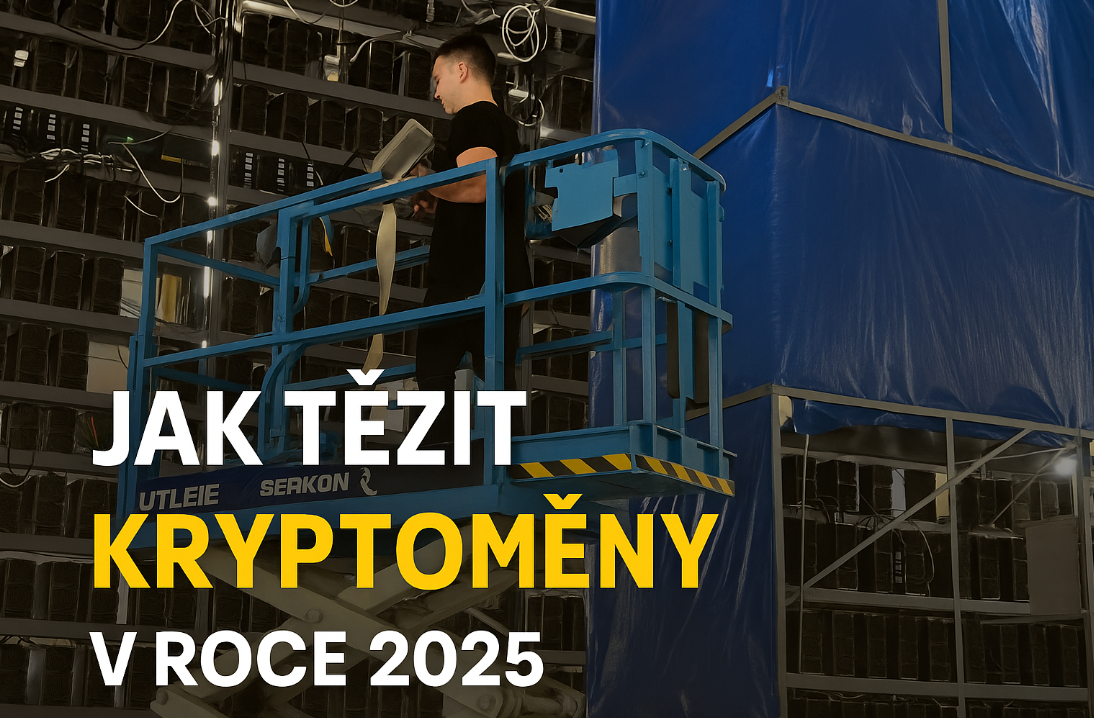
You can start mining cryptocurrency in six steps: choose a coin, a machine for it (an ASIC miner), where it will run (at home or in hosting), a pool and a wallet, and finally calculate your revenue. The most important decision isn't the machine's hashrate, though, but the price of the electricity it runs on. On a standard household tariff of around 5 CZK/kWh a large bitcoin miner loses money; in a data centre at roughly 1.1 CZK/kWh it makes money.
Summary
- The coin determines the algorithm, and the algorithm determines the machine. A Bitcoin ASIC won't mine Litecoin and vice versa.
- Revenue = machine hashrate × today's revenue per unit of hashrate − electricity − pool fee.
- Large machines (3–5 kW, 70–80 dB) belong in a data centre. At home, quiet miners make sense, especially if you use the heat or surplus solar power.
- Payouts go from the pool to your own wallet. Only you should hold its keys.
If you'd first like to understand what actually happens during mining (blocks, hashes, difficulty), read the article What is crypto mining and how it works. This one is about practice.
What you'll need
- An ASIC miner for your chosen coin plus a power cable (large machines have a built-in PSU, 220–277 V power).
- A wired internet connection (RJ45). A standard home line is enough; the miner uses only tens of MB of data a day.
- An account with a pool or just a wallet address (many pools don't require registration).
- A place where heat and noise can be dealt with – or a hosting contract.
Step 1: Choose a coin
Only coins that use proof-of-work can be mined. To start with, it's sensible to stick to established networks for which efficient ASIC miners and plenty of pools exist. Revenue in the table is recalculated every hour; units differ between algorithms, so the figures can't be compared across rows.
| Coin | Algorithm | Revenue today (gross per day) | Best for |
|---|---|---|---|
| Bitcoin (BTC) | SHA-256 | 0,84 Kč per 1 TH/s | long-term mining, the most liquid coin |
| Litecoin + Dogecoin | Scrypt | 1,86 Kč + 10,60 Kč per 1 GH/s | both coins are mined at once (merged mining) |
| Kaspa (KAS) | kHeavyHash | 3,55 Kč per 1 TH/s | fast network, higher price risk |
| Zcash (ZEC) | Equihash | 0,93 Kč per 1 kSol/s | smaller network, fewer machines on the market |
| BTCB2 | Blake2b-Sia | 130,76 Kč per 1 TH/s | young network, high risk and high potential |
Fallback figures are as of 18 October 2026. The younger and smaller the network, the more revenue fluctuates – not only with the price, but also with how many machines are joining it at the moment.
Step 2: Choose a machine by efficiency
With ASIC miners, efficiency is what counts – how much energy a unit of hashrate consumes (J/TH for Bitcoin). Two machines with the same hashrate can have electricity bills a third apart. An older machine with worse efficiency is cheaper to buy, but as difficulty rises it slips into loss sooner.
Before buying, compare hashrate, power draw and today's payback for specific models in the live ASIC miner profitability overview. Avoid “cloud mining” offers and pre-orders of machines nobody has seen yet – they are among the most widespread scams in the industry.
Step 3: Decide where the machine will run
At home you pay the full electricity price, but you have the machine under your eye and can use its heat. A large miner, however, is as loud as a vacuum cleaner and needs a dedicated circuit. Detailed calculations for home conditions can be found in the article Does mining at home in the Czech Republic pay off?.
In hosting, the machine sits in a data centre with cheap electricity, cooling and supervision. The cheapest location of our hosting currently comes to 1,13 Kč/kWh including management. Locations, availability and terms are on the ASIC miner hosting page.
Step 4: Choose a pool
On its own (solo), a large bitcoin miner finds a block on average once every few decades. That's why mining is done in a pool that combines the hashrate of thousands of machines and splits the reward according to the work contributed. When choosing, look at three things:
- Payout method – FPPS pays steadily every day, PPLNS fluctuates with the pool's luck. We explain the differences in the article PPS, PPLNS and FPPS.
- Fee – usually 0–4 % of what is mined.
- A server close to the machine – a European server for a miner in the Czech Republic, a different one for a data centre in the USA. Lower latency means fewer rejected shares.
Step 5: Prepare a wallet
- Create a wallet for the coin, ideally a hardware wallet or the network's official app.
- Write the recovery phrase (seed) down on paper and keep it away from your computer. Whoever has the phrase has the coins.
- Copy the receiving address and enter it in the pool as the payout address.
- Send yourself a small test amount first before setting up automatic payouts.
Payouts to an exchange account can also be set up, but the exchange may block your account and change the address. For mining, your own wallet is more reliable.
Step 6: Connect and configure the miner
- Connect the miner to your router with a cable and plug in the power.
- Find its IP address in the router or with the manufacturer's tool and open it in a browser.
- Enter the pool address (stratum URL), the worker name and the password according to the pool's instructions.
- Save, wait 10–20 minutes and check in the pool that the hashrate matches the machine's label.
A more detailed procedure is in the article Connecting an ASIC miner.
How to calculate revenue: an example with numbers
The formula is simple: daily revenue = hashrate × revenue per unit − (power in kW × 24 × price per kWh) − pool fee. Take the Antminer S21 Pro+ (234 TH/s, 3,510 W, 15 J/TH) at today's difficulty and price:
| Item | At home (5 CZK/kWh) | Hosting (1.13 CZK/kWh) |
|---|---|---|
| Gross revenue (234 × 0.84 CZK) | 197 CZK | 197 CZK |
| Pool fee 2.5 % | −5 CZK | −5 CZK |
| Electricity (84.2 kWh per day) | −421 CZK | −95 CZK |
| Result per day | −229 CZK | +97 CZK |
The calculation is as of 18 October 2026. Bitcoin difficulty rises over the long term, so the same machine will mine less in a year at the same price. Plan with a margin and bear in mind that revenue is not guaranteed.
Common beginner mistakes
- Calculating with maximum hashrate instead of the real 24-hour average. Keep a 3–4 % reserve for outages, restarts and rejected shares.
- Forgetting about cooling. A miner produces as much heat as the electricity it consumes. Without heat removal it overheats and reduces its hashrate.
- An exchange address for payouts and a recovery phrase that isn't backed up.
- Buying by hashrate, not by efficiency. A cheap old machine may be the first to be switched off as difficulty rises.
Video: the whole process from selection to payout
In our video we go through the same steps – choosing a coin and miner, ordering, the wallet, setup, maintenance and converting mined coins into money.
What next
- Not sure whether to keep the machine at home? A comparison of costs, noise and heat is in the article Does mining at home in the Czech Republic pay off?.
- How much each specific machine earns today is shown in the ASIC miner profitability overview.
Sources
Frequently asked questions
How much money do I need to start mining?
Which cryptocurrency is best for a beginner to mine?
Do I have to register with a pool?
How long until I receive my first payout?
Can I run a miner on Wi-Fi?
This text was prepared with the help of AI. Facts, figures and procedures were checked by Yegor.


