Setting up the IceRiver KS0, KS1, KS2, KS3 and KS3L step by step

You can set up the IceRiver KS0, KS1, KS2, KS3 and KS3L in 10–15 minutes using the same procedure: connect the network cable and power, find the miner's IP address with the IceRiver tool, log in in your browser with the username admin and password 12345678, and enter the pool and your Kaspa address in the Mining Setting menu. After saving and restarting, the miner starts mining.
Summary
- IceRiver miners have no Wi-Fi. You need Ethernet and a router that assigns addresses (DHCP is the default setting).
- You can find the IP address with the official IceRiver tool: Detect IP, then hold the IP button on the miner for 1–2 seconds.
- The default login is
admin/12345678. Change the password immediately after your first login. - Only upload official firmware for your model. Unofficial “overclocked” versions void the warranty.
- A note on income: at today's difficulty, the KS0–KS3 run at a loss on household electricity – see the table below.
What you will need
| Model | Hashrate | Power draw | Power supply |
|---|---|---|---|
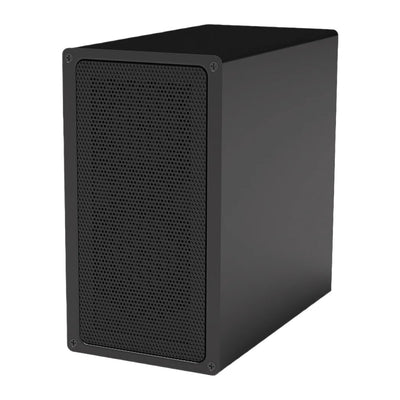
| KS0 | 100 GH/s | 65 W | 19 V / 3.42 A (65 W) adapter, or USB-C PD 65 W – only ever one input |
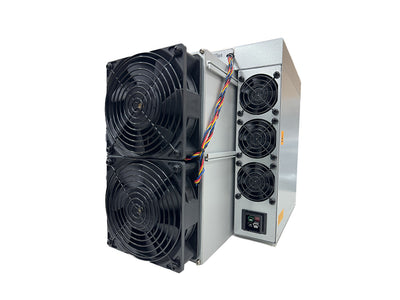
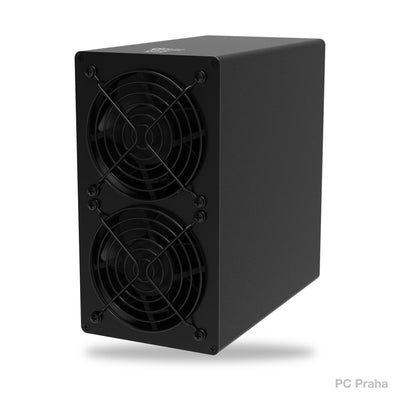
| KS1 | 1 TH/s | 600 W | standard computer power cable, 230 V socket |
| KS2 | 2 TH/s | 1,200 W | standard computer power cable, 230 V socket |
| KS3 | see the label | 3,200 W | 180–285 V, dedicated circuit |
| KS3L | see the label | 3,200 W | 180–285 V, dedicated circuit |
- Electrical circuit: a standard household circuit with a 16 A breaker can carry 230 V × 16 A = 3,680 W. It handles the KS1 and KS2 without any problem, but the KS3 and KS3L at 3,200 W are close to the limit. Don't connect anything else to the same breaker, and ideally have a separate circuit installed.
- A network cable and a free port on the router. The computer you use to set up the miner must be on the same network.
- A Windows computer for the IceRiver IP-finding tool (otherwise the device list in your router is enough).
-
A Kaspa address in the form
kaspa:q…. If you don't have one yet, create one following our guide Kaspa wallet.
If you bought the KS0 from us, the power adapter was included in the box. We also included a power cable with the KS1 and KS2 models.

Step 1: Connect the network and power
- Place the miner on a flat surface with free airflow. The manufacturer specifies an ambient operating temperature of 0–35 °C and humidity below 90%.
- First connect the network cable from the router to the miner.
- Only then connect the power – first the cable into the miner, then into the socket.
- Wait about 1–2 minutes for the miner to start. On the KS0, both the red and green lights are on at first; after start-up the green one starts flashing.
Step 2: Find the miner's IP address
- On a computer on the same network, download the batch management tool (batch tool, formerly IceRiver MinerTool) from the IceRiver website (Tutorial section) and unzip it.
- Run it and click Detect IP (IP Detected in the older version). If Windows asks for network access, allow it.
- As soon as a window waiting for the miner appears, hold the IP button on the miner for 1–2 seconds.
- The miner's IP address appears in the table, for example
192.168.1.124.

The tool doesn't work or you don't have Windows? You can also find the IP address in the list of connected devices in your router's admin panel or with a network scanning program (such as Advanced IP Scanner). The general procedure for connecting an ASIC to the network is described in our article Connecting an ASIC.
Step 3: Log in to the web interface
- Enter the IP address in your browser (the manufacturer recommends Chrome).
- Log in: username admin, password 12345678. The credentials differ from Bitmain miners.
- Change the password straight away in the user settings. After changing it, you will have to log in again.

Step 4: Set the pool and Kaspa address
Open Mining Setting → Pool Configuration. You can enter up to three pools: if the first one fails, the miner automatically switches to the second, then to the third. Overwrite the factory default pools with your own.
-
Pool URL: the pool address in the form
stratum+tcp://…:port. Example as of 18 Oct 2026: Kryptex Pool, Europe –stratum+tcp://kas-eu.kryptex.network:7011. -
Worker: your Kaspa address followed by a dot and the machine name, e.g.
kaspa:qvase_adresa.ks3. -
Password:
x(arbitrary or empty for most pools).
Click Save and then Reboot. Do not switch the miner off during the restart. The pool status connected appears on the home page. The hashrate chart appears after about 5 minutes and updates every 5 minutes. Judge the hashrate by the 12-hour average, not by the first few minutes. You can then see statistics on the pool's website after entering your address.

Pools often have a special lower-difficulty port for small machines like the KS0. Addresses and ports change, so always copy them from the pool's website. How payout methods differ is explained in our article PPS, PPLNS and FPPS.
Step 5 (optional): Set a static IP address
If your router assigns a different address each time, give the miner a static address: in IP Settings, switch the protocol from DHCP to Static, fill in the address, mask, gateway and DNS, save and restart. Choose an address outside the range the router hands out automatically.
What the indicator lights mean
For the KS3 and KS3L (lights D1–D4), according to the manufacturer's manual:
| Status | Flashing | Off |
|---|---|---|
| Normal operation | D2 | D1, D3, D4 |
| Fan problem | D1 and D3 | D2, D4 |
| Network problem | D1 and D2 | D3, D4 |
| Overheating | D2 and D3 | D1, D4 |
On the KS0, you only need to watch two lights: after switching on, both red and green are lit; after about a minute the green one starts flashing – the miner is running.
How to restore factory settings
- KS0: wait until the green light starts flashing (about a minute after switching on). Hold the button for 20 seconds until the red light starts flashing. Wait until it stops and let the miner restart.
- KS3, KS3L: hold the reset button for 5 seconds until D3 and D4 start flashing at the same time. Once they stay lit, the miner restarts.
Do not switch the miner off during the reset. Then set up the pool, address and password again.
Firmware updates: official only, and only when needed
IceRiver itself recommends: if the miner works normally, don't update the firmware. If you do need an update (a bug fix, a new interface feature), proceed as follows:
- Download firmware only from the official IceRiver website, and exactly for your model. KS3 firmware does not belong on a KS3L and vice versa.
- Unzip the archive and check the MD5 checksum. The firmware file itself has the extension
.bgz. - In the interface, open Firmware Upgrade, select the file and click Upgrade.
- After the success message, click Reboot and wait. Do not switch the miner off during the update.
- Have several machines? Update one first and watch for a few hours to see whether it runs stably.
Unofficial firmware with higher hashrate
In autumn 2023, modified firmware appeared that increased the hashrate of older IceRivers:
| Model | Manufacturer's spec | With modified firmware | Power draw |
|---|---|---|---|
| KS0 | 100 GH/s | 120 / 140 / 155–160 GH/s | 108–112 W more at 160 GH/s |
| KS1 | 1 TH/s | 1.25 TH/s | about 900 W |
| KS2 | 2 TH/s | 2.5 TH/s | about 1,600 W |
At first they were paid for (for the KS1 and KS2 they were offered for 1,000 and 1,600 KAS); later they circulated freely on the internet. Today we neither recommend nor supply such firmware. A miner running it loses its warranty, heats up more, and on the KS0 there is a risk of overloading the 65 W adapter. The manufacturer also explicitly disclaims responsibility for unofficial firmware. What overclocking does to the chips in the long run is discussed in our article Overclocking an ASIC.
Do the KS0–KS3 still pay off today?
At today's difficulty and price, 1 TH/s on Kaspa earns about 3,55 Kč a day. The calculation for each model:
| Model | Gross income per day | Electricity per day at CZK 5/kWh | Break-even electricity price |
|---|---|---|---|
| KS0 (100 GH/s, 65 W) | ~CZK 0.36 | ~CZK 7.80 | up to CZK 0.23/kWh |
| KS1 (1 TH/s, 600 W) | ~CZK 3.55 | CZK 72 | up to CZK 0.25/kWh |
| KS2 (2 TH/s, 1,200 W) | ~CZK 7.10 | CZK 144 | up to CZK 0.25/kWh |
| KS7 (30 TH/s, 3,500 W) | ~CZK 106 | CZK 420 | up to CZK 1.27/kWh |
For the KS3 and KS3L (3,200 W), check the hashrate on the label or in the interface. A machine drawing 3,200 W uses 76.8 kWh a day. To cover even its electricity at the cheapest hosting, it would need roughly 24 TH/s today – at the household price of CZK 5/kWh, over 100 TH/s.
The figures are as of the morning of 18 Oct 2026. Not even the cheapest hosting location (1,13 Kč/kWh) offers electricity as cheap as the older models need. Today the KS0–KS3 mainly make sense where you use the heat from the miner for heating, or if you expect a significant rise in the KAS price. You will find the current generation in the Kaspa miners collection, for example the IceRiver KS7 30 TH/s. The newer KS5 and KS7 models have their own manuals – check their default credentials and menus in the documentation for the specific model.
Common problems and solutions
| Problem | What to do |
|---|---|
| No light is on | Check that the power connector and cable are firmly seated. On the KS0, do not use the DC input and USB-C at the same time. |
| The network port light is off | Check the network cable and the router port, try a different cable. |
| The IceRiver tool can't find the miner | The computer must be on the same network. Allow the tool through the firewall, and only hold the IP button when the tool is waiting. |
| The KS0 fans don't spin | The fans only start after connecting to the pool and starting to mine. Check the pool settings. |
| Hashrate is lower than it should be | Judge the 12-hour average. Check temperatures and dust. If the hashrate differs between the interface and the pool, check the network. |
| The browser shows 404 at the IP address | Restart the miner and reload the page. |
| The miner overheats | Don't cover it, improve airflow. An external USB fan (max. 5 V / 0.5 A) can be added to the KS0. |
If the miner doesn't start even after a factory reset, our ASIC miner repair service in Prague can help.
What next
- Want to know more about the coin you are mining? Read our overview Kaspa (KAS) – algorithm, emission, income and risks.
- Is electricity at home too expensive for Kaspa? Take a look at ASIC miner hosting from 1,13 Kč/kWh.
Sources
Frequently asked questions
What is the default password for IceRiver?
Why can't I find the miner's IP address?
Can I plug the KS3 into a normal socket?
Will I lose the warranty if I install unofficial firmware?
How long does it take for the miner to appear in the pool?
This text was prepared with the help of AI. Facts, figures and procedures were checked by Yegor.